View your orders and invoices, and pay online.
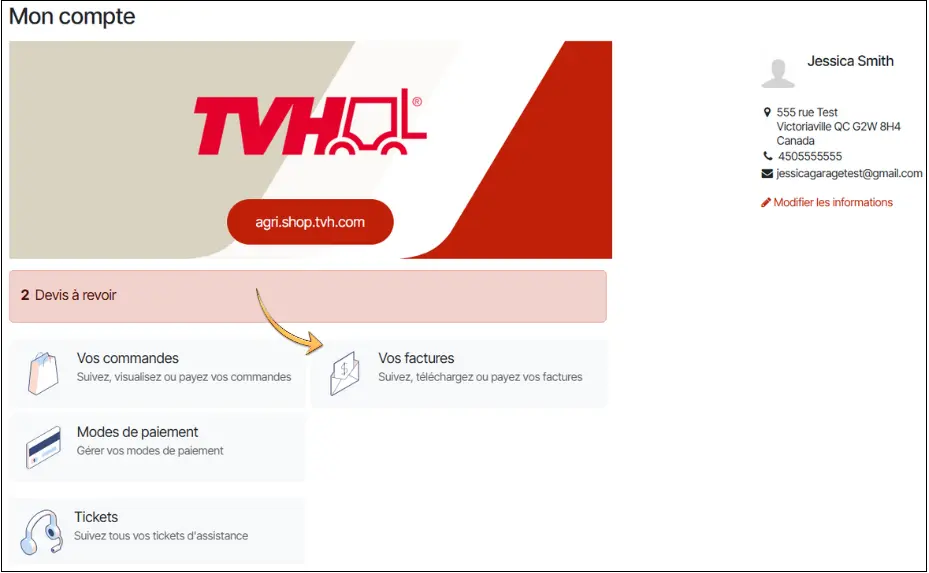
1.Go to your portal
To access your portal, click on the dropdown arrow next to the login icon at the top right of your screen. By selecting "My Account", you will reach your portal where you can find your orders and invoices.
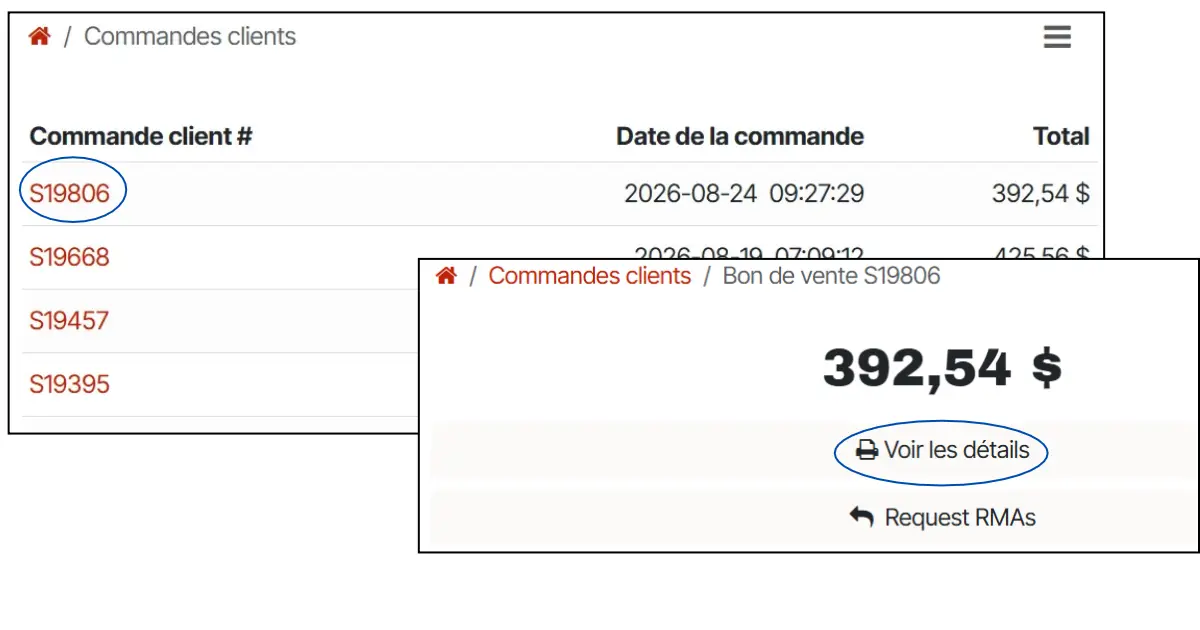
2. View your orders
First, click on 'Your Orders'. You will then see a list of all your orders. To view a specific order, click on the order number in red, and then click 'View Details'.
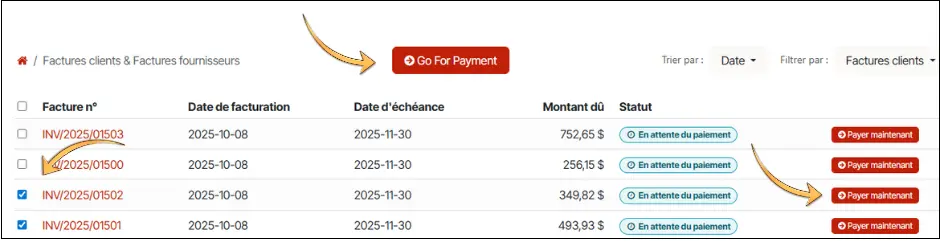
3. Make a payment
First, click on "Your invoices". Then, click the 'Pay Now' button if a single invoice is selected, or the 'Go for Payment' button if multiple invoices are selected.
You can also apply credits to your payment.
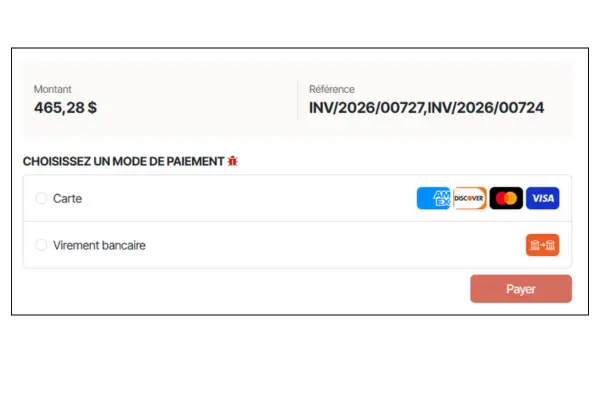
4. Payment method
Select the desired payment method and click on the 'Pay' button.
If paying by bank transfer, you need to complete the transaction through your bank account as usual.
The total amount for the selected invoices is displayed in the window, along with the list of selected invoices.